
Move to Hafrix
Move from RigER to Hafrix, with a clear handover.
A practical RigER migration guide covering exports, equipment and job mapping, active rentals, billing reconciliation, rehearsal and cutover.
Moving an oilfield operation means carrying forward more than an equipment list. Someone must still explain which unit is on rent, which certificate controls its next assignment, what the customer has already been billed and what remains open. A successful move gives the yard, field team and finance the same answer.
This guide describes a migration plan to agree with Hafrix after reviewing your authorized RigER exports. It is not a promise that every RigER configuration, historical record or integration can be imported unchanged. The first deliverable should be a written scope, mapping and exception report for your actual data.
Begin with an authorized export
Name one migration owner and involve the people responsible for equipment, rental operations, workshop records and finance. Your RigER administrator should confirm your version, enabled modules, available export formats and access rights. Ask for a representative sample before attempting a full extraction; export instructions and available columns must be confirmed for your installation.
Keep the original files unchanged. Record the extraction date, timezone, applied filters, reporting period, record count and responsible person for each file. Include the source identifiers needed to join customers, jobs, units, lines and documents. A spreadsheet displaying a unit's name without its identifier may look complete while losing the relationships the migration needs.
Share samples through an agreed protected transfer method after contacting the team. The public demo form is an introduction, not a place to upload customer records, credentials or an unrestricted database backup.
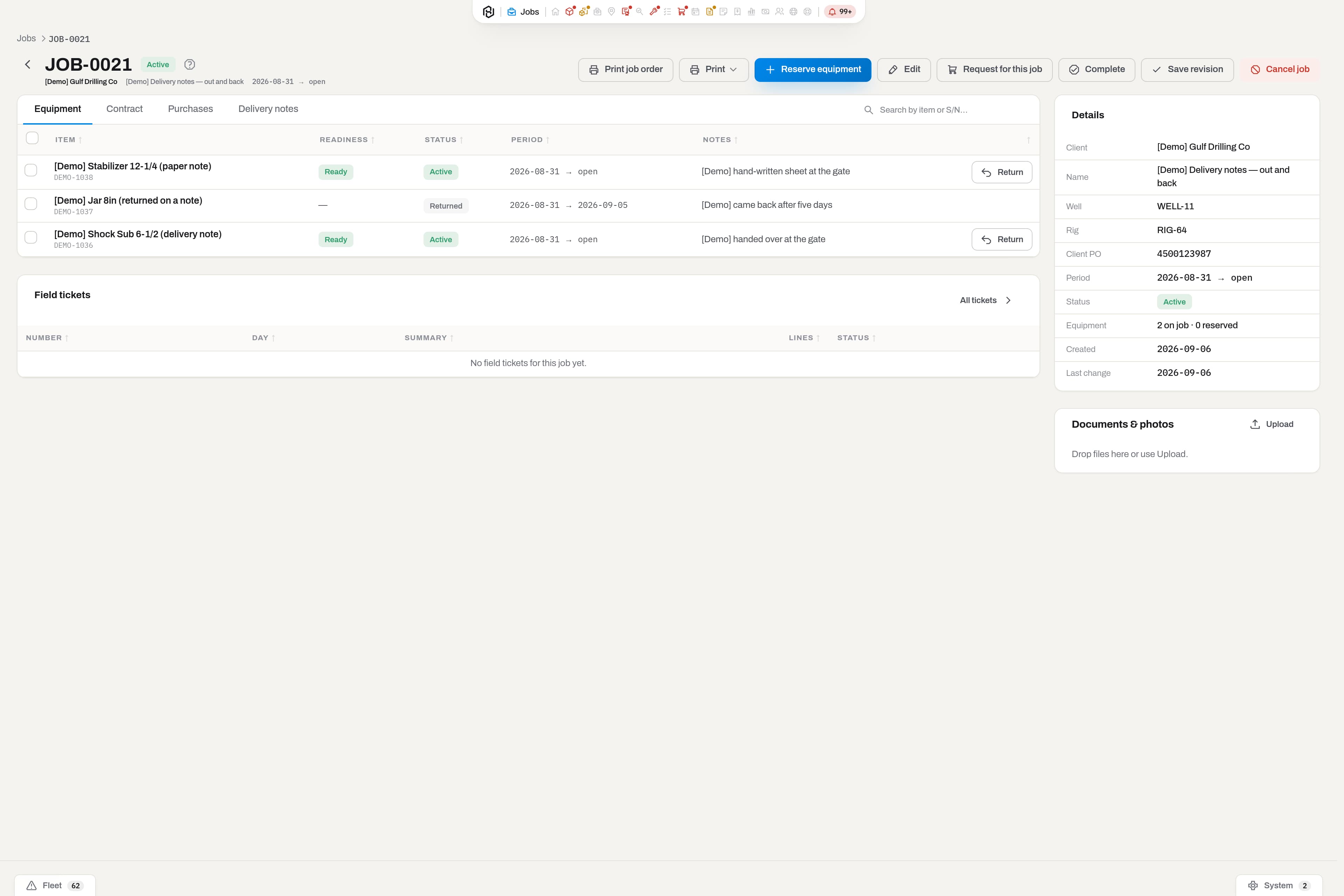
Define the migration boundary
Separate records required to operate on the first day from history retained for reference. Agree each stream as an import, a controlled reference archive or an excluded item with an owner. A closed invoice retained in the archive must remain retrievable even if its original workflow is not recreated.
| Data stream | Request and mapping decisions |
|---|---|
| Companies and locations | Customer and supplier IDs, billing references, addresses, yards and field locations; identify duplicates without merging different legal entities |
| Equipment and components | Source unit IDs, item or category codes, serials, ownership and component relationships; distinguish a model from a physical unit |
| Open jobs and rentals | Job and agreement references, assigned units, issue and return dates, quantities, outstanding movements and commercial terms |
| Workshop and compliance | Open repair work, inspection outcomes, certificate identity and expiry, recorded service events and available supporting files |
| Procurement and stock | Open purchase commitments, stock quantities, units of measure and supplier references; agree which balances and transactions belong in scope |
| Billing and attachments | Invoice and credit references, billed-through boundaries, currency and file manifests; separately scope posted history and opening positions |
Historical depth affects effort. Decide whether the operation needs every past movement, selected service history or a searchable source archive. Identify records requiring specialist review, including obsolete units, unresolved returns and attachments whose owning record is missing.
Build a mapping that preserves identity
For each field, record the source column, its meaning, destination, transformation and decision owner. Preserve a cross-reference from the original RigER ID to the agreed Hafrix record. Do not use a description as the sole join key: two units can share a description, and one serial can have been typed differently in different files.
Ask the equipment owner to resolve duplicate serials and missing categories. Ask operations to explain statuses such as on rent, reserved, in transit or in repair in terms of actual work. A label should not make an asset available if a return or inspection is still outstanding. Keep retired equipment distinguishable from stock ready for dispatch.
Document date formats, timezone boundaries, quantity precision and units of measure. A blank value is not automatically zero. Record whether a missing return date means an ongoing rental or an incomplete record. Where the source does not answer, open an exception for the business owner rather than inventing a value.
Reconcile open rentals and billing before loading
Build an opening schedule per active rental line: customer, job, unit or quantity, dispatch date, agreed rate basis, currency, last billed interval, returns and unresolved adjustments. Finance should approve that schedule against the source documents. Reconcile totals separately for each currency; do not turn a currency conversion into an unexplained balancing entry.
For a synthetic example, assume unit U-104 is on an agreed daily rental at USD 120. The parties define inclusive billing dates, and RigER has billed 1–5 November, or USD 600 before tax. A cutover at the start of 6 November must preserve the original dispatch history while beginning the unbilled interval on 6 November. If the agreed billable return is 8 November, those three additional days are USD 360. The accepted total is USD 960 before tax, without billing 5 November twice.
Your contract may use different rules for return days, standby, minimum periods or taxes. Test those rules with real examples and confirm the supported destination workflow before signing off. Hafrix operational billing records do not by themselves replace your statutory accounting system or its posted ledger.
Keep certificates and files connected to their records
Create an attachment manifest listing the original file name, source record type and ID, file size and, where available, a checksum. Include certificate reference, applicable unit and expiry where those values exist in the source. Keep document content separate from the spreadsheet containing its metadata: a file path alone is not the file.
Review unreadable documents, duplicate names, missing owners and expired certificates as exceptions. Agree whether an unmatched file is resolved, retained in the reference archive or excluded. Check representative PDFs and images after the trial load, including one expired certificate and one repair attachment. Confirm that intended users can find the evidence without gaining access to unrelated records.
Rehearse before the final switch
Use a scoped trial dataset containing a normal rental, an active partial return, a unit in repair and a record with imperfect data. Agree the isolated trial environment and access before transferring records. Review the proposed mapping and dry-run findings before approving a write; a successful file upload does not establish operational correctness.
Compare source and trial counts by category and status, not only the grand total. Review rejected records and explain every difference. Where a repeated trial is planned, agree how source IDs prevent duplicates. The equipment owner signs off identities and availability, operations signs off active work, and finance signs off opening billing positions.
| Acceptance check | Evidence required before cutover |
|---|---|
| Equipment and relationships | Counts reconcile, selected serials match and component links resolve |
| Active work | Issued and returned quantities agree; no unit appears available while still assigned |
| Documents and service | Selected files open, their owners match, and outstanding inspection or repair decisions remain visible |
| Financial boundary | Open positions reconcile by currency and customer; billed and unbilled periods do not overlap |
| Exceptions and access | Each exception has a decision owner; representative roles can perform their agreed tasks |
Agree cutover and the conditions for rollback
Write a timed handover plan: who stops source changes, takes the final exports, records changes since the trial, performs the agreed load and authorizes use. If field activity continues during the window, keep a controlled movement log and nominate the person who reconciles it. Two systems must not independently dispatch or bill the same work.
Define rollback triggers before starting: missing critical rentals, unresolved material billing differences or unavailable essential documents are examples. Identify the authoritative system, retained backups and the person who can call the rollback. If work has already been entered in Hafrix, reconcile and preserve those changes before resuming the source process. A rollback is a controlled business handover, not simply deleting imported rows.
Evaluate the result on a real scenario
Before approval, ask the people doing the work to follow one representative unit through readiness review, assignment, dispatch, field evidence, return, repair if needed and billing review. Include an exception, such as an expired certificate or incomplete return, and confirm the outcome against the agreed Hafrix scope. Train those users on the workflow they will actually operate.
After cutover, review the first dispatch, return and billing cycle with the same owners. Keep the source archive accessible for the agreed retention period and record remaining corrections. Dates and implementation cost follow assessment of your exports, integrations and operational scope; they cannot be inferred from the number of spreadsheet tabs.
Sources and the next step
RigER's official functionality catalogue, checked 5 November 2026, describes rental, inspections, maintenance, pricing, invoicing and integrations. Those published capabilities are context for planning a move, not evidence about your enabled configuration or a universal export procedure. The steps above are Hafrix's proposed migration approach, subject to reviewing your files and requirements.
RigER is a third-party product. Hafrix is not affiliated with or endorsed by RigER. This guide does not promise a live RigER connector or automatic migration of arbitrary workbooks and archives.
Discuss your RigER migration · Compare the workflows · Explore Hafrix modules
Keep the context
A new system.The context stays.
Bring an authorized sample export. Agree the records, mapping and cutover scope with the team before making the move.
Discuss your migration